
Find a customer
Search your customers by name, open one, and give it a nickname so it is easy to spot.
Steps
- On the Dashboard, type part of the customer's name into the search box. The list narrows as you type. To see everyone instead, select Browse Customer List.
- Select the name to open their customer page.
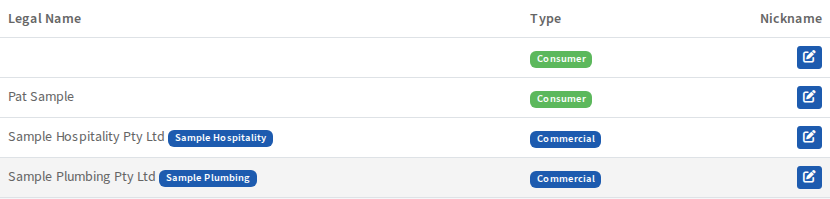
Each row shows the legal name, whether the customer is Commercial or Consumer, and a nickname if you gave one.
Give a customer a nickname
If a customer's legal name is hard to recognise, give them a nickname. Select the pencil button at the end of their row, type the nickname and save. It appears next to their name and you can search for it.
The search box is also on the Dashboard.