
Switch between organisations
Move between the organisations you belong to without signing out.
Some people work for more than one organisation, for example an accountant who looks after several businesses that each use Pay My Business. One sign-in covers all of them.
Steps
- Select the small switch button beside your organisation's name at the top.
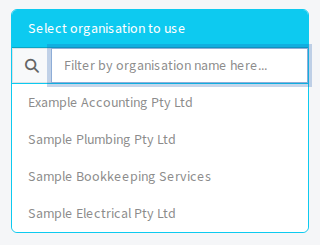
- In Select organisation to use, select the organisation you want. If you have more than ten, type part of the name in Filter by organisation name here... first.
When it works, the name at the top changes and you see that organisation's dashboard.
Get access to another organisation
Ask someone at that organisation to add you as a user using the same email address you sign in with. See Add a team member. The organisation then appears in your list.
Each organisation decides what you can do there. See Choose what a team member can do.