
Turn on AutoPilot
Let Pay My Business approve terms, request a GSI and send your Terms of Trade for you.
AutoPilot does steps you would otherwise do by hand for every customer. There are three switches. Each one saves the moment you turn it on or off. A green message says "Saved".
Steps
- Open Settings, then Payments & Billing, then AutoPilot.
- Turn on the switches you want.
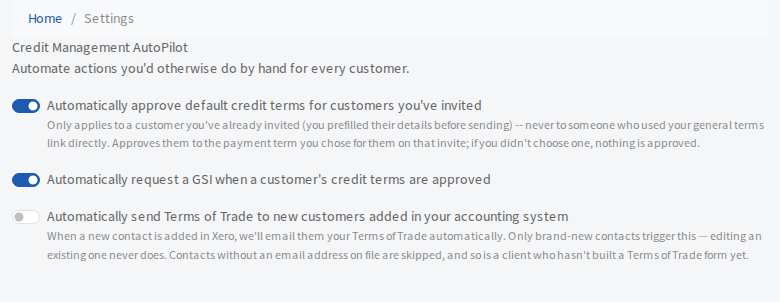
What each switch does
Automatically approve default credit terms for customers you've invited
When you invite a customer with their details already filled in, and you chose a payment term for them on that invite, they are approved to that term as soon as they finish. It never applies to someone who used your general terms link. If you did not choose a term on the invite, nothing is approved.
Automatically request a GSI when a customer's credit terms are approved
When a customer's credit terms are approved, a General Security Interest (GSI) registration is requested for them. Each GSI is charged at the GSI Price on your Billing page. See your plan and billing details.
Automatically send Terms of Trade to new customers added in your accounting system (Xero)
When a new contact is added in Xero, the contact is emailed your Terms of Trade. Only brand-new contacts trigger this. Editing an existing contact never does. Contacts with no email address are skipped, and so is your firm if you have not built a Terms of Trade form yet.