
Choose what happens after a customer signs
Email the signed terms to your customer, send them to your own web page and set how often terms are re-issued.
The After Signing page controls what the customer receives and sees once they have signed your Terms of Trade.
Steps
- Open Settings, then Documents & Signing, then After Signing.
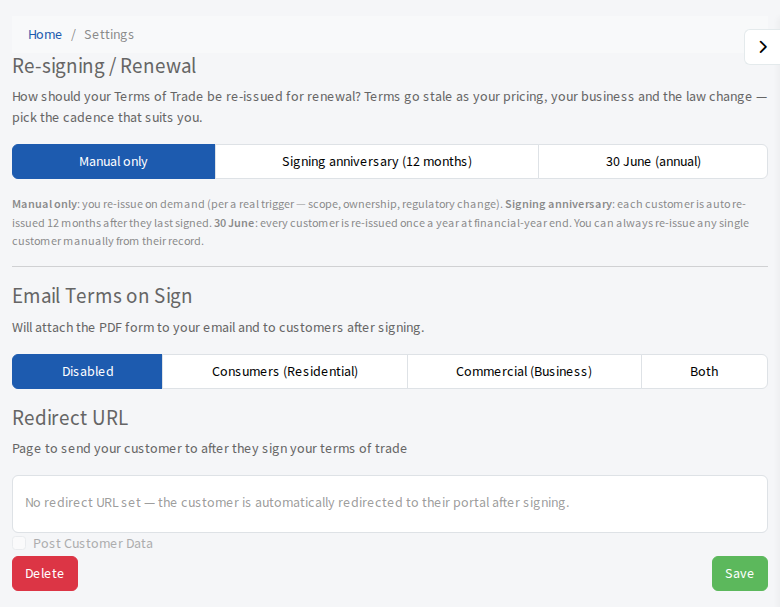
- Choose your options. Each button saves as you select it.
Email Terms on Sign
This attaches the signed PDF to the email your customer receives after signing, and to your copy. Choose Disabled, Consumers (Residential), Commercial (Business) or Both. You can change the wording of that email: see Change the wording of your emails and edit Signed Form.
Re-signing your terms
This appears on the Compliance plan. It sets how your Terms of Trade are re-issued so they do not go stale:
- Manual only: you re-issue when you decide to.
- Signing anniversary (12 months): each customer is re-issued 12 months after they last signed.
- 30 June (annual): every customer is re-issued once a year at the end of the financial year.
You can always re-issue a single customer by hand from their record.