
What your customer sees when they accept a proposal
Walk through the plan choice, add-ons, total and acceptance your customer goes through so you know what to expect.
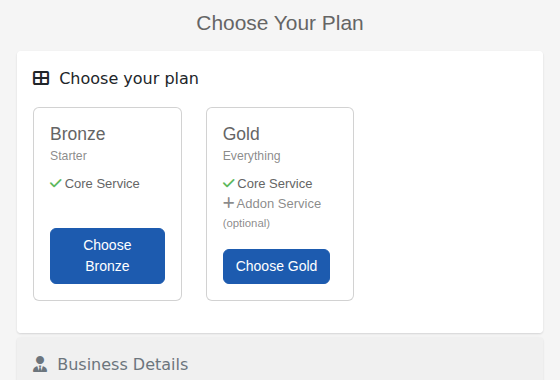
Your customer opens the link in their email and sees your form. The first step is Choose your plan.
1. They pick a tier
Each tier is a card with its name, subtitle and what is included. Optional add-ons are listed in grey as (optional). The customer presses Choose under the plan they want.
2. They add extras
If the tier has add-ons, the customer sees Customise your plan and can tick any they want. Each shows its setup and monthly price. A small contract icon means the add-on has its own terms, which appear when it is ticked. A table lists each item and the Total for setup and per month.
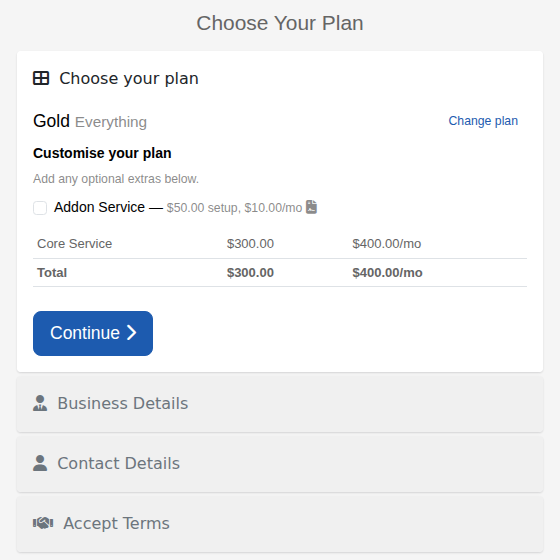
Change plan takes them back to the tiers. Continue confirms their choice.
3. They finish the form
They complete the other steps on your form (their details and Accept Terms) and sign. The add-on terms they selected are included with your terms. See Choose what happens after a customer signs.