
Build your proposal tiers and services
Set up the services you sell once, then group them into tiers (such as Bronze and Gold) with optional add-ons for customers to choose from.
The Proposal Builder lets you offer customers a choice of plans. You define each service once in a library, then add services to tiers. A customer picks a tier and any optional add-ons, sees the total and accepts it as part of your form.
Add a service
- Open Settings, then Documents & Signing, then Proposal Builder.
- Under Service Library, select New service.
- Enter the Name, the Setup ($) cost and the Monthly ($) cost. Pay My Business shows prices exactly as you type them and does not add GST, so enter them the way you want customers to see them.
- Optionally fill in Setup label, Ongoing label and Account code, and add Add-on terms & conditions that apply when a customer chooses this service as an add-on.
- Leave Active ticked and select Save.
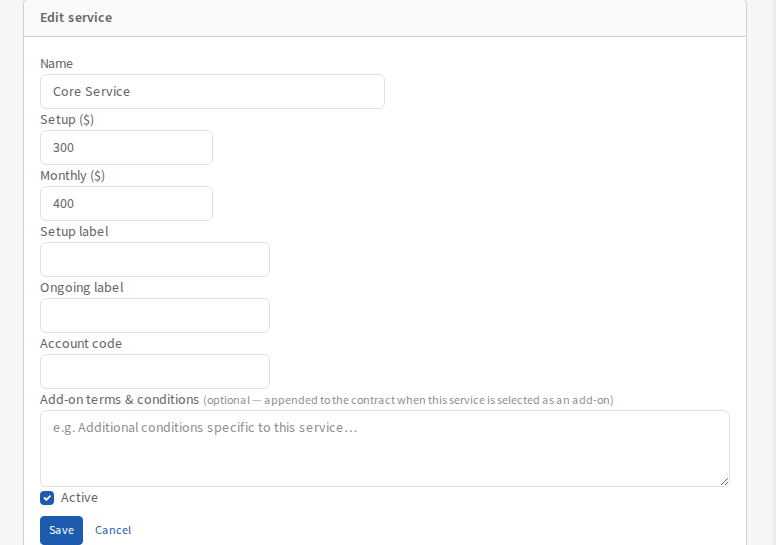
Use the pencil, copy and bin buttons beside a service to edit, duplicate or delete it.
Add a tier
- Under Tiers, select Add tier. You need at least one service first.
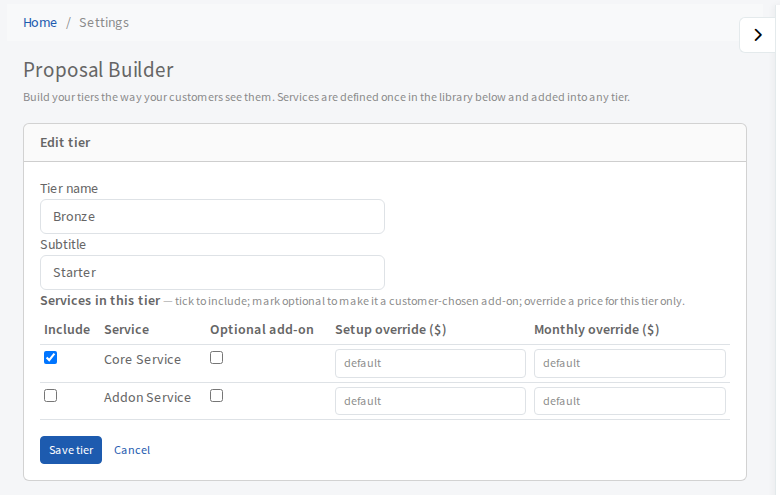
- Enter a Tier name and a Subtitle.
- Under Services in this tier, tick Include for each service that belongs in it.
- Tick Optional add-on as well as Include to let the customer choose that service for themselves instead of having it always included.
- To charge a different price in this tier only, fill in Setup override ($) or Monthly override ($). Leave them on
defaultto use the library price. - Select Save tier.
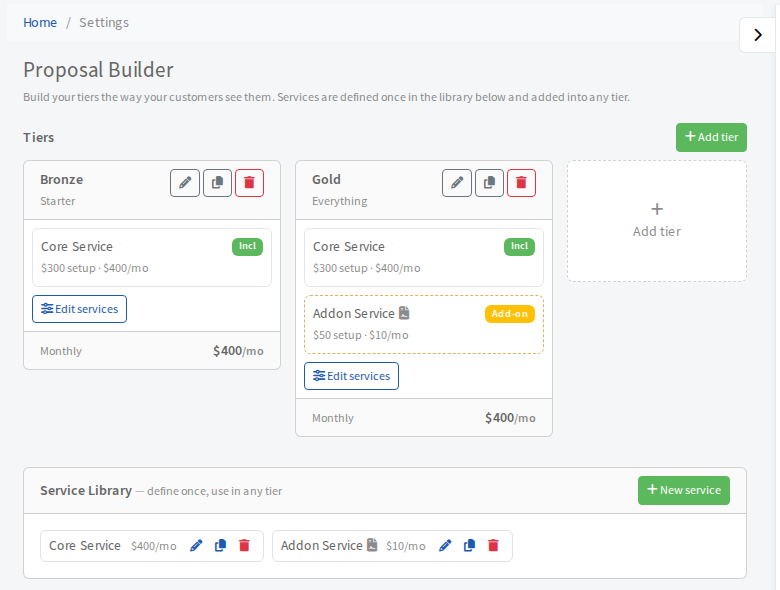
Each tier card shows its services, marked Incl or Add-on, and its monthly total. The pencil, copy and bin buttons edit, duplicate and delete the tier. Edit services on a card jumps straight to its service list.
Next
Add a Choose Your Plan step to a form and send it. See Send a proposal to a customer.