
Create a new form
Make a second form with its own link, for example one that offers your plans, and delete it when you no longer need it.
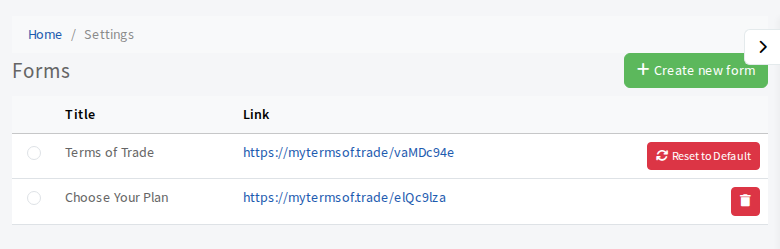
Your Terms of Trade form is the first form in your list. You can make extra forms for other jobs, such as a plan chooser or a short onboarding form. Each form has its own link.
Steps
- Open Settings, then Documents & Signing, then Forms.
- Select Create new form.
- Type a title under Enter Title and select Save changes.
- The new form appears in the list with its own link. Tick its circle to open it, then add steps as described in Change the form your customers fill in.
- Select Save.
Share the form
Copy the link from the list and send it yourself, or choose the form when you send a form to a customer.
Delete a form
Select the red bin button at the end of its row. The first form (your Terms of Trade) cannot be deleted, only reset.