
Resolve and confirm a customer's beneficial owners
Upload an ownership document, let Pay My Business build the ownership tree and have the customer sign a beneficial ownership declaration.
A company or trust customer must be traced back to the real people who own or control it. Pay My Business reads an ownership document, checks it against the ASIC and ABR registers, builds the ownership tree and then sends the customer a declaration to sign.
Before you start
- Your organisation is on the Compliance plan. See What the Compliance plan unlocks.
- Enable beneficial ownership resolution is on under Settings, Compliance, Accountant. It is on by default for Compliance plan organisations.
- The customer is a company or trust.
- You have an ownership document, such as a trust deed, a share register or a company extract.
Steps
- On the Dashboard, search for the customer by name or select Browse Customer List, then open the customer.
- Find the step called Ultimate beneficial owner.
- Optionally type an Entity name. If you leave it empty it uses the customer's name.
- Select Choose File and pick the ownership document.
- Select Begin ownership resolution.
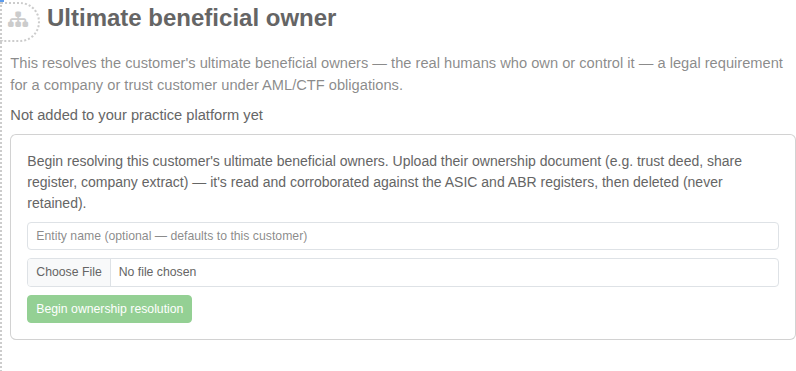
You do not need to wait on the page. The document is read in the background, which can take up to a minute, and the page updates by itself.
What happens next
The step shows where the customer is up to:
- Reviewing ownership structure while the document is read.
- Requires additional information or Requires your attention when something needs you. See Read the ownership tree and clear what needs attention.
- Waiting for information from client when you have asked the customer a question.
- Ownership resolved, then Awaiting customer sign-off.
- Fully resolved & validated once the customer has signed.
When the whole structure is resolved, Pay My Business generates the declaration and sends it for sign-off for you. It goes to the person who signed the customer's Terms of Trade, so you do not type a name or email again. The step shows a tick list: Ownership resolved, Declaration generated and Sent to the customer for sign-off.
Who pays
UBO resolutions and ID checks are billed to your customer automatically at no cost to you. If the customer has no payment method yet, the charge is billed to you instead so nothing is delayed. You can recover it later. See Recover compliance charges from customers.
When the ownership changes
Use Start over on the step. It clears the resolution so you can upload the updated document. The existing signed declaration stays in the history.