
Style the beneficial ownership declaration
Choose a document design and colours for the declaration your customers sign, and check the preview before you save.
The beneficial ownership declaration is the document your customer signs once the ownership tree is resolved. You can choose its design and colours so it matches your practice.
Before you start
Beneficial ownership resolution must be available to you. See What the Compliance plan unlocks.
Steps
- Open Settings, then Compliance, then Accountant.
- Scroll to Beneficial ownership declaration.
- Under Document design, pick Letterhead, Modern report or Certificate.
- Under Colours, change any colour. Select Suggest from logo to take colours from your logo, or Reset to defaults to go back.
- Check the preview underneath. It updates as you change things.
- Select Save declaration style.
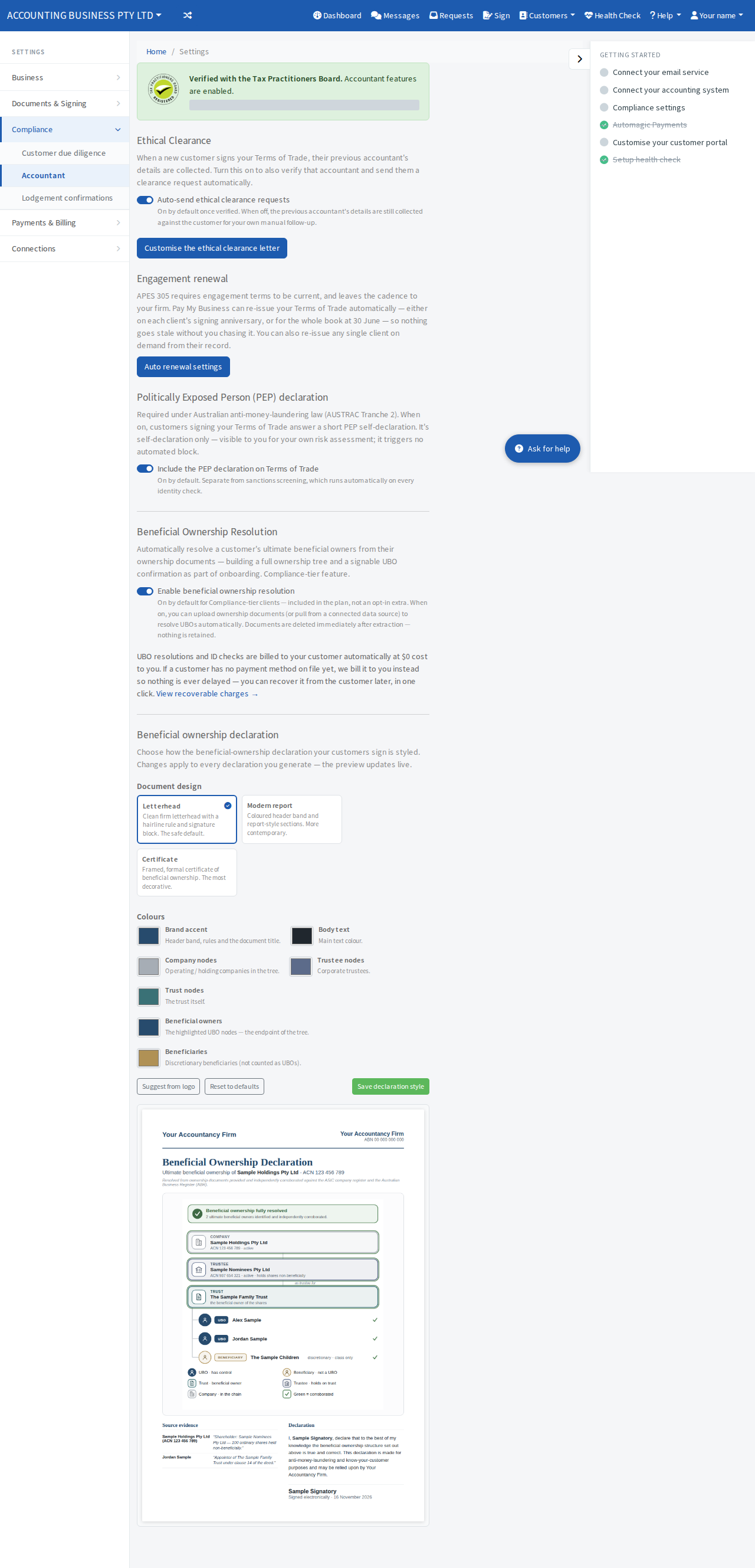
A line reading Unsaved changes shows until you save. The new style applies to every declaration you generate from then on.