
Read the compliance timeline for a customer
See every compliance action on a customer, in order, as a permanent record.
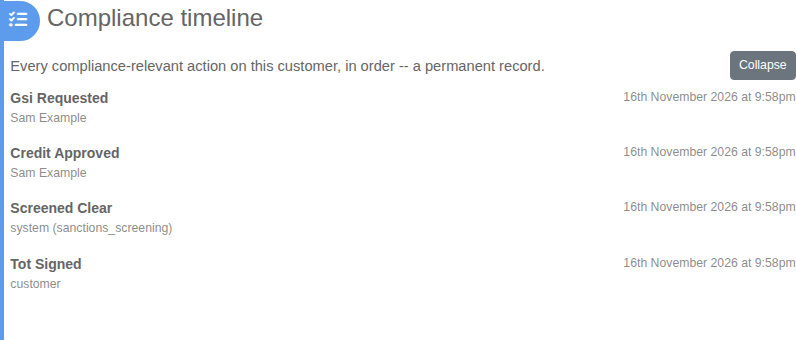
The compliance timeline lists every compliance-relevant action on a customer, newest first. It is a permanent record. You cannot edit it, and it needs no action from you.
Before you start
The timeline is part of the Compliance plan. See What the Compliance plan unlocks. It stays hidden on a customer until something has been recorded for them.
Steps
- On the Dashboard, search for the customer by name or select Browse Customer List, then open the customer.
- Find Compliance timeline on the customer's page.
- Select Show followed by the number of events, for example Show 4 events.
- Read down the list. Each entry shows what happened, when it happened, the outcome and who or what did it.
- Select Collapse to tuck the list away again.
What is recorded
Examples are a signature captured on Terms of Trade, a sanctions screening result, a credit decision, a registration under the GSI and beneficial ownership steps. The person column says who did it: a team member, the customer, or the system when it ran automatically.