Hold a card automatically before a job
Let Pay My Business place a card hold ahead of a scheduled job and keep it fresh until the job is done.
A pre-authorisation lasts 7 days. For jobs booked further ahead, rollover places the hold shortly before the job, renews it if the job runs past 7 days, then captures it when the job is done. The customer's card is not surprised with a charge.
The job date comes from your job management system.
Steps
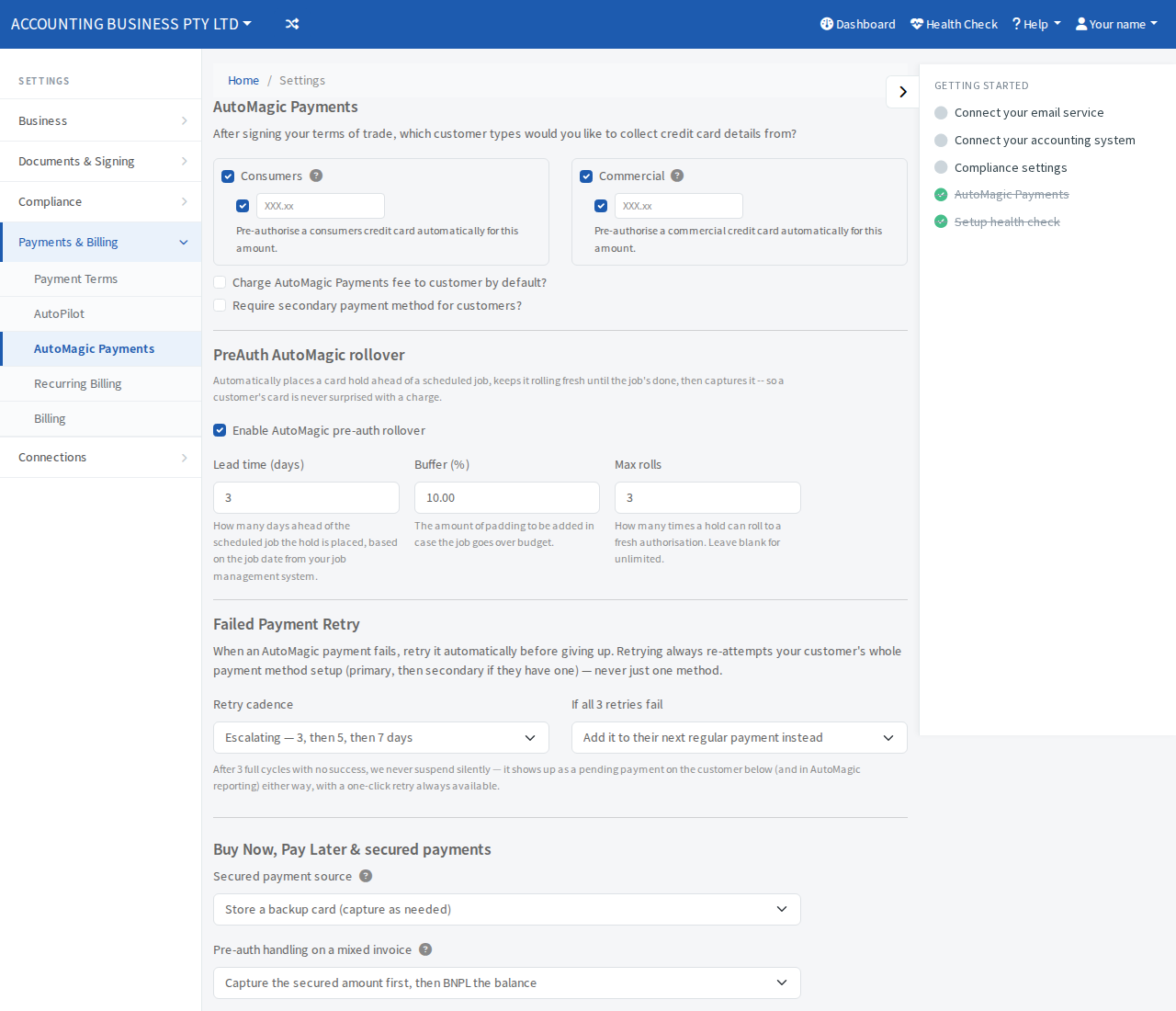
- Open Settings, then Payments & Billing, then AutoMagic Payments.
- Find PreAuth AutoMagic rollover and tick Enable AutoMagic pre-auth rollover.
- Set Lead time (days). This is how many days before the scheduled job the hold is placed.
- Set Buffer (%). This is padding added to the hold in case the job goes over budget.
- Set Max rolls. This is how many times a hold can renew. Leave it blank for unlimited.
- Select Save at the bottom of the page.