
Verify your tax or BAS agent registration
Declare your practice, have it checked against the Tax Practitioners Board register and switch on the accountant features.
If you are a registered tax or BAS agent, tell Pay My Business and it will check your registration against the Tax Practitioners Board (TPB) register. Once you are verified, the accountant features switch on, such as asking a new customer's previous accountant for ethical clearance.
Before you start
Have your registration number ready: your Tax Agent Number (TAN) if you are a tax agent, or your BAS Agent Number (BAN) if you are a BAS agent. You need permission to change settings for your organisation.
Steps
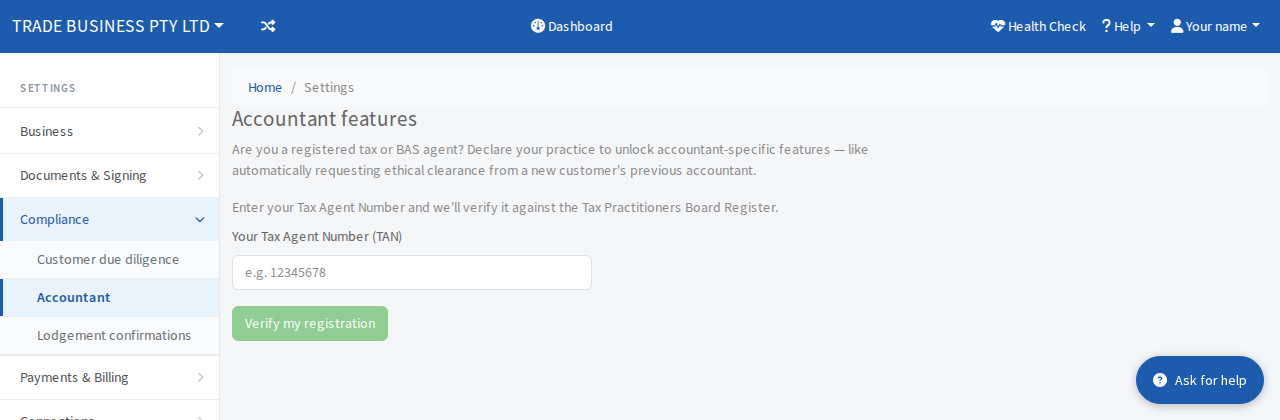
- Open Settings, then Compliance, then Accountant.
- Select I am an accountant.
- Pay My Business checks the register for your organisation name. If it finds you, it asks you to confirm with your number. If not, it asks you to enter it.
- Type your registration number into the box labelled Your Tax Agent Number (TAN). Tax agents type their Tax Agent Number (TAN) and BAS agents type their BAS Agent Number (BAN): it is the number the Tax Practitioners Board register shows for you, and it looks like
12345678. - Select Verify my registration.
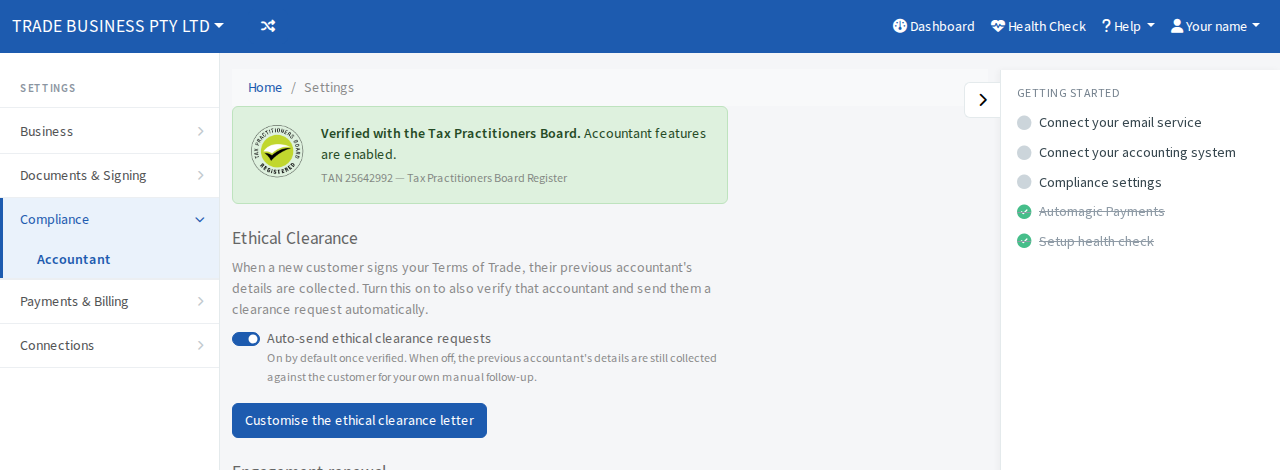
When it works you will see a green panel that says Verified with the Tax Practitioners Board, with your number and the register it came from. The accountant features are now on.
If the registration is not matched
If Pay My Business cannot match the registration on its own, the screen tells you it has passed the details to the team to confirm, and that someone will be in touch. You do not need to do anything else.
If you are a BAS agent the panel shows your number as a BAN rather than a TAN.